
Aviate · Use case
Run Kill Bill billing operations without engineering help.
Kill Bill, Kaui and Aviate together give billing, support and finance teams an operational workspace. Understand your tenant, inspect catalogs, investigate invoices and support customers from the billing source of truth.
Last updated: October 2026
The demo
A customer disputes their invoice. Support answers it in two minutes.
Acme Cloud Analytics runs subscriptions on Kill Bill. One of their customers, BrightBee Ltd, upgraded from Starter to Business mid-cycle and received a prorated invoice they did not understand. Click through the demo below to see how a support agent resolves it, with no engineering ticket and no database access.
The full walkthrough (environment, catalog, billing dispute, payment recovery and audit trail) is documented chapter by chapter in the billing operations docs. If the demo does not load, open it in a new tab.
Short answer
Can billing, support and finance teams run Kill Bill without engineers?
Yes. Kill Bill is the billing engine and system of record. Kaui, the open source admin UI, answers account questions: why a customer was charged, why an invoice is unpaid, what changed and when. Aviate adds the tenant, catalog and configuration view. Operators work from the same data as the engine, with no database access, and every change is recorded with who made it and when.
- Billing engine
- Open source, Apache 2.0
- Account console
- Kaui, open source and free
- Tenant and catalog view
 Aviate
- Audit
- Who changed what, and when
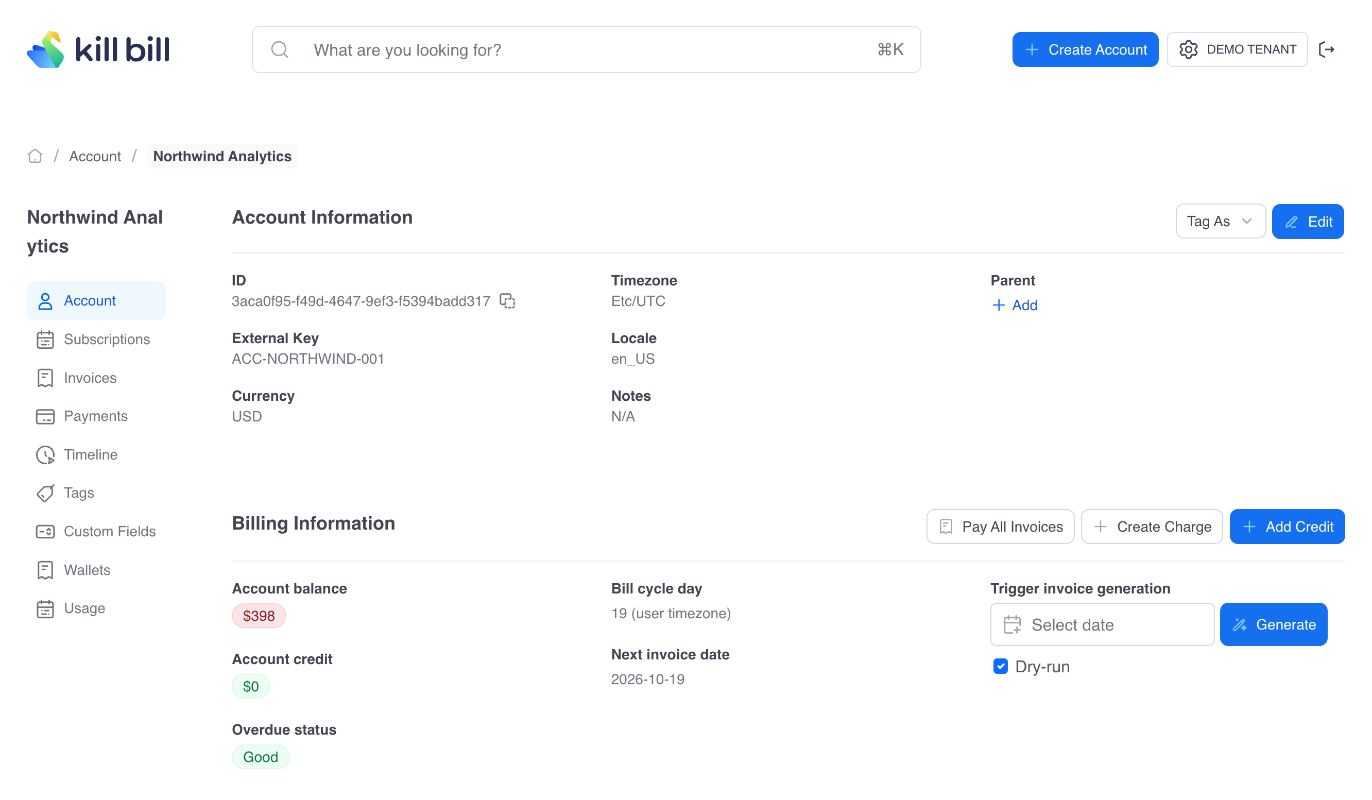
What the demo shows
Four things your team can do on day one
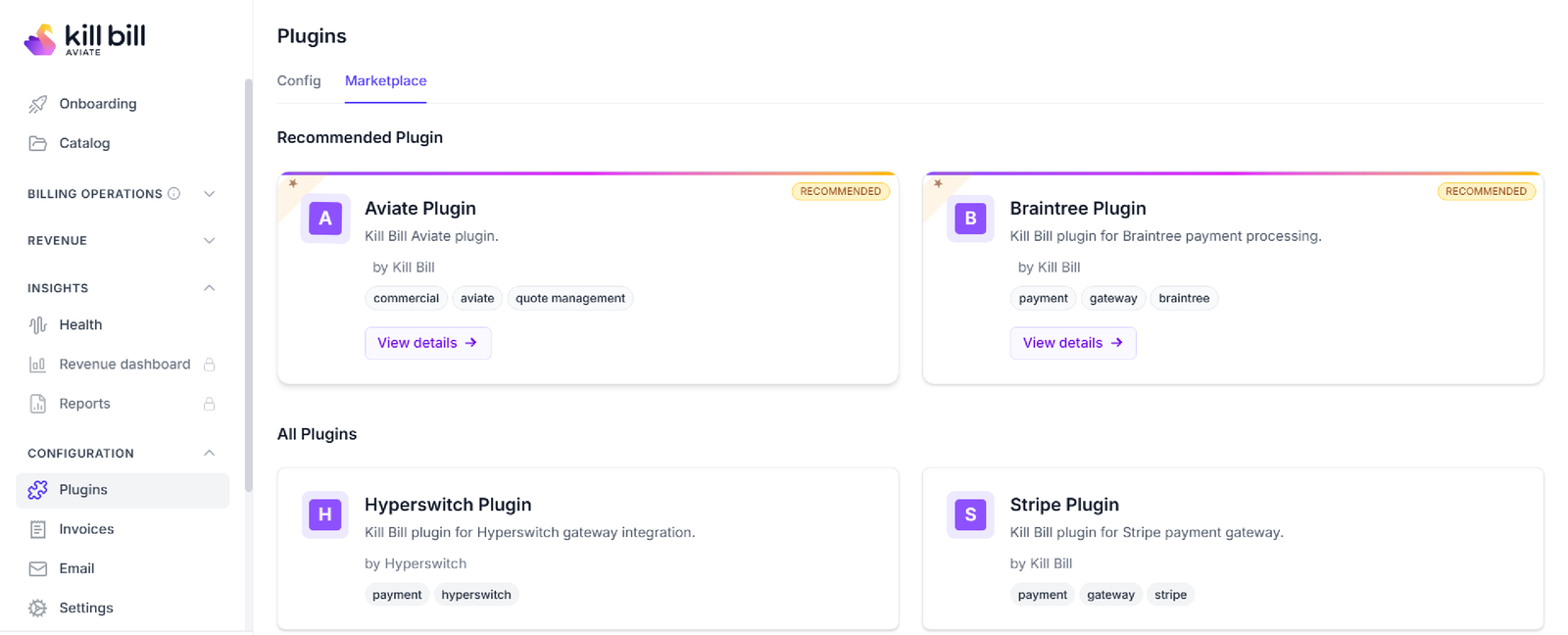
The Aviate navigation
Understand the tenant
See which environment you are working in before touching anything: tenant identity, Kill Bill version, configuration, and the entry points into catalog and account operations.
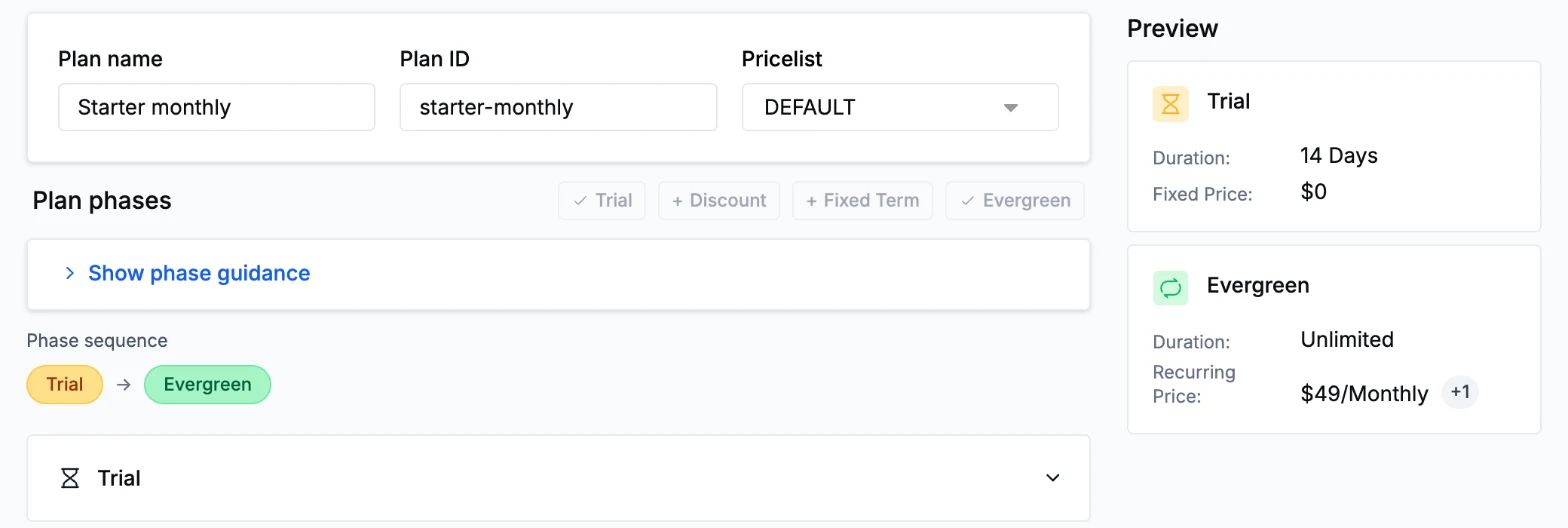
A plan and its phases in Aviate
Inspect the catalog
Read the live catalog without opening XML. Acme's four plans, from Starter Monthly to Enterprise Annual, show their billing period, price and effective date in plain view.
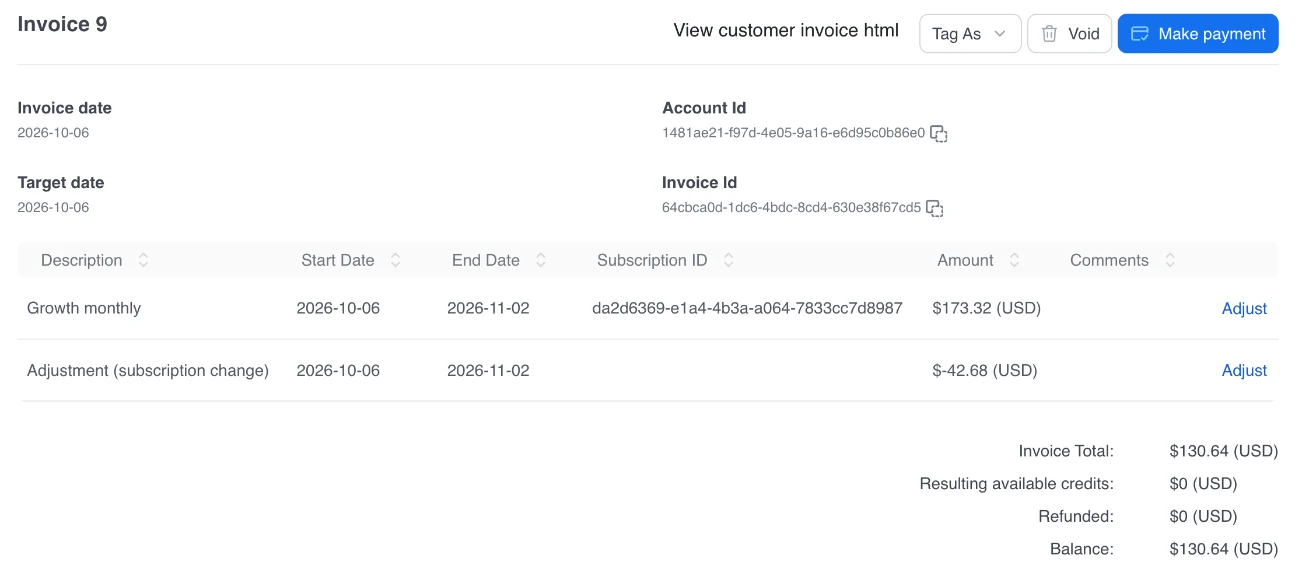
An invoice after a plan change, in Kaui
Investigate a customer issue
Trace BrightBee's mid-cycle plan change to its exact date, then read the resulting invoice line by line: the credit for unused Starter days, and the charge for Business from the change date forward.
| When | Who | What | Change |
|---|---|---|---|
| Oct 1, 09:14 | support.agent | Subscription | UPDATE |
| Oct 1, 09:14 | system | Invoice | INSERT |
| Oct 1, 09:20 | finance.ops | Payment | INSERT |
Illustration of audit entries
Operate with trust
Every account change, invoice, and payment attempt is recorded with who did it and when. Auditability is what makes it safe to hand billing operations to a non-engineering team.
The walkthrough
Five chapters, four demo accounts
The demo runs on Acme Cloud Analytics, a fictional B2B SaaS company. Apex Robotics, a fully paid account, and Delta Health, a cancelled subscription with its history still visible, complete the four accounts.
| # | Chapter | Where | Account | What the operator sees |
|---|---|---|---|---|
| 1 | Environment overview | Aviate | Tenant | Confirm the tenant and the Kill Bill version |
| 2 | Catalog visibility | Aviate | Catalog | Products, plans and effective dates |
| 3 | Customer investigation | Kaui | BrightBee Ltd | A plan change traced to the prorated invoice lines |
| 4 | Payment or invoice issue | Kaui | Northwind Media | An unpaid annual invoice: trigger a payment or record an external one |
| 5 | Auditability and trust | Kaui Aviate | All accounts | Account, invoice and payment history, with audit entries |
Who it is for
Built for the teams that handle billing every day
Billing and support teams
Investigate customer billing questions and resolve payment issues directly, from the system of record.
Finance operations
Review invoice and payment history, and rely on a full audit trail for every state change in the system.
Engineering teams
Stop being the first line of support for every billing investigation, whether you already run Kill Bill or are evaluating it.
Product roles
Three products, one operational surface
Kaui and Aviate are complementary, not alternatives. Aviate answers environment-level questions. Kaui answers account-level questions. Kill Bill is the source of truth behind both.
Kill Bill
The billing engine and system of record. Subscriptions, invoices, payments, and audit history all live here.
Kaui
The account-level operations console. Search accounts, inspect subscriptions, read invoices, and act on payments.
Aviate
The tenant, catalog, and configuration visibility layer. See which tenant is live and what the catalog contains.
The demo uses only these three views. Aviate also includes catalog management, metering, coupons, wallet and CPQ. See plans and pricing for what is included.
FAQs
Frequently Asked Questions
Can support teams answer billing questions without engineers?
Yes. In Kaui, the open source admin UI, a support agent opens the account and reads its subscriptions, invoice lines and payments. No database access or code is needed.
What is the difference between Kaui and Aviate?
Kaui is the open source admin UI for accounts, subscriptions, invoices, payments and refunds. Aviate is the enterprise offer: it adds the tenant, catalog and configuration view, the Aviate modules and Level 3 support. The two are complementary.
Do I need Aviate to use Kaui?
No. Kaui is open source and free, and works with the open source Kill Bill platform.
How does a support agent explain a prorated invoice?
The agent finds the plan change date on the subscription, then reads the invoice line by line: a credit for the unused days of the old plan, and a charge for the new plan from the change date.
What can an operator do about an unpaid invoice?
From the account in Kaui, the operator can trigger a payment on the invoice, or record a payment made outside Kill Bill, such as a wire transfer.
Is every operator action recorded?
Yes. Kill Bill records who made each change and when. Audit entries are visible in Kaui and available through the API.
Can I try the billing operations demo?
Yes. The interactive demo is on this page, and each chapter is documented step by step in the Kill Bill documentation. You can also try Aviate in the free hosted sandbox.
How much does Aviate cost?
Aviate is a flat fee billed annually, never a share of revenue. Kill Bill and Kaui are open source and free, without support or SLA. Current pricing is on the Kill Bill pricing page.
See billing operations in action in 10 minutes
Click through the demo, or read the full chapter-by-chapter walkthrough in the docs.
Talk to the team